
To view the list of resources that can be added to a plan based on a connector:
-
Go to Connectors (see Navigation). The list of connectors is displayed (see Viewing the list of connectors).
-
Click the ID or name of the required connector. The connector details page is displayed (see Viewing and updating connector details).
-
Go to the Resources tab. The list of connector resources is displayed.
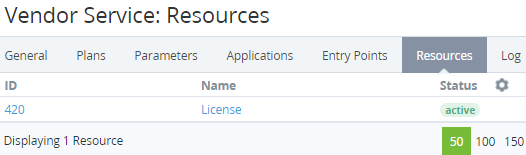
The list of resources includes the following columns:
-
ID — the unique identification number of a resource (see Viewing and updating information about a connector resource).
-
Other columns — depending on the plugin. For example:Name — the resource name displayed during the plan configuration.Status — the resource status:Active — a resource can be used during the plan creation.Inactive — a resource cannot be used during the plan creation.