
To create a category of custom attributes:
-
Go to Attribute Categories (see Navigation). The list of attribute categories is displayed (see Viewing the list of attribute categories).
-
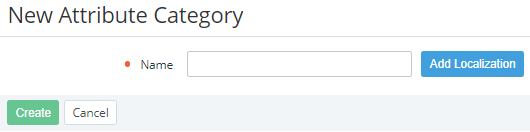
Click Create. The New Attribute Category page is displayed.
-
In the Name field, enter the name of the attribute category up to 255 characters.
-
If you need to add an alternative name of the attribute category in one of the languages of the Operator Control Panel or Customer Control Panel (see
Managing language settings):
-
Click Add Localization. A new line of elements is displayed.
-
In the new line of elements, select the required language.
-
In the Name field, enter the alternative name of the attribute category in the selected language up to 255 characters.
-
-
If you need to delete an alternative name of the attribute category in one of the languages, click Delete in the corresponding line.
-
Click Create. The new attribute category is created and displayed in the list.