
A customer is provided with a promo code of a promo vendor after ordering a paid subscription to one of the promo vendor plans.
To view and update the list of promo vendor plans:
-
Go to Promo Vendors (see Navigation). The list of promo vendors is displayed (see Viewing the list of promo vendors).
-
Click the ID or name of the required promo vendor. The promo vendor details page is displayed.
-
Go to the Plans tab. The list of plans is displayed (see
Viewing the list of plans).
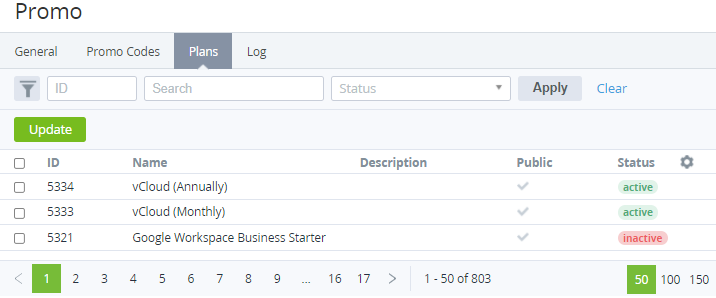
The list of plans includes the following columns:-
The column with the checkboxes — the selected checkbox indicates that the plan is included in the promo vendor plans.
-
ID — the unique identification number of a plan.
-
Name — the name of a plan.
-
Description — the description of a plan (see Editing general information about the Plan).
-
Public — indicates whether a plan is available for ordering in the Customer Control Panel.
-
Status — the plan status:
-
-
-
If it is necessary to update the promo vendor plans:
-
Select the checkboxes in the rows with the plans you need to include in the list of promo vendor plans.
-
Clear the checkboxes in the rows with the plans you need to exclude from the list of promo vendor plans.
-
Click Update.
-