
To view the list of plans, go to Plans (see Navigation).
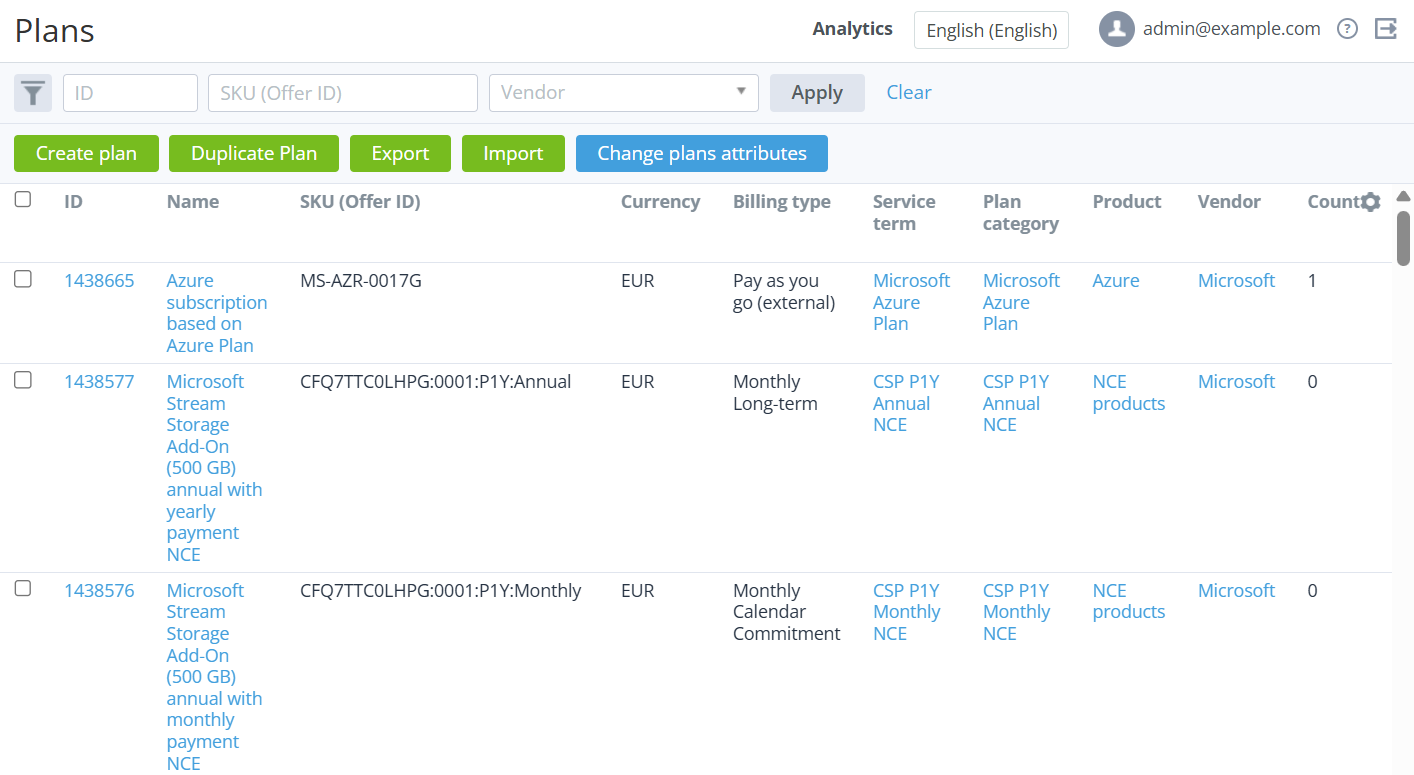
The list of plans includes the following columns:
-
Checkbox — select plans to bulk change their attributes (see Changing plan attributes).
-
ID — the unique identification number of a plan. You can search plans by part of the ID.
-
Name — the name of a plan.
-
SKU (Offer ID) — the plan SKU value (see Plan information). You can search plans by part of the SKU.
-
Currency — the code of the plan currency (see Viewing the list of currencies). By default, the column is hidden.
-
Billing type — the billing type of a plan (see Plan information).
-
Service term — the service term of a plan (see Managing service terms). By default, the column is hidden.
-
Plan category — the name of the related plan category (see Managing plan categories).
-
Product — a link to the related product (see Managing a product).
-
Vendor — the unique name of a vendor that owns a product (see Vendors).
-
Count — the number of ordered subscriptions to a plan.
-
Singleton — indicates whether an account can have several active subscriptions to a plan.
-
Public — indicates whether a plan is available for customers.
-
Add-on — indicates whether a plan is an add-on for a prerequisite plan (see Managing prerequisite plans). By default, the column is hidden.
-
Price change — the date of the expected price change of a plan if the Price change parameter is enabled (see Editing general information about a plan). If not enabled, the column is empty. By default, the column is also hidden.
-
Available by a manager — a list of available actions for a plan in the Operator Control Panel (see Plan information).
-
Available by an account — a list of available actions for a plan in the Customer Control Panel (see Plan information).
-
End of sale — the date until which creating sales orders is available for a plan (see Plan information). By default, the column is hidden.
-
End of renew — the date until which creating renewal orders is available for a plan (see Plan information). By default, the column is hidden.
You can filter the list of plans by the following parameters:
-
ID
-
Search
-
SKU (Offer ID)
-
Currency
-
Plan category
-
Product
-
Vendor
-
Billing type
-
Add-on
-
Price change
-
Sale by a manager
-
Renew by a manager
-
Sale by an account
-
Renew by an account
-
Service term