
While entering information on pages of the Operator Control Panel, take into account the following:
Integrated search function
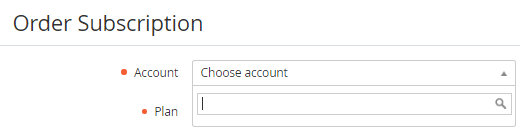
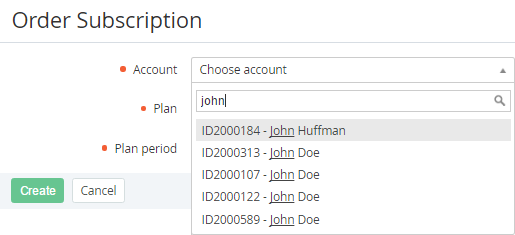
Pages for creating and updating objects include lists with the search function. For example, the Account list on the Order Subscription page (see Ordering a subscription at the plan prices) has the search function.
To use the integrated search function:
-
Click the line of the list. The items of the list are displayed.
-
Start entering a search request. The search results are displayed.
-
Click the required item.
Required elements
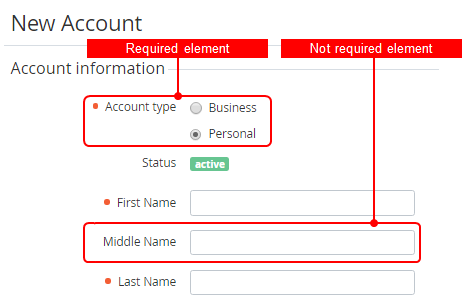
While entering information pages of the Operator Control Panel, different types of elements can be used (fields, lists, checkboxes, etc.).
Required elements have a special sign Unknown Attachment located before the name of an element.
Notifications about closing a page without saving changes
While leaving a page without saving the changes, the notification message is displayed.
To save the changes:
-
In the notification window, click Close.
-
Save the changes on the page.
Automatic deleting spaces
On the following pages, the platform automatically deletes leading and trailing spaces entered in the fields, including fields of additional attributes: