
To create a request for quote on behalf of a customer:
-
Go to Quotes (see Navigation). The list of quotes is displayed (see Viewing the list of quotes).
-
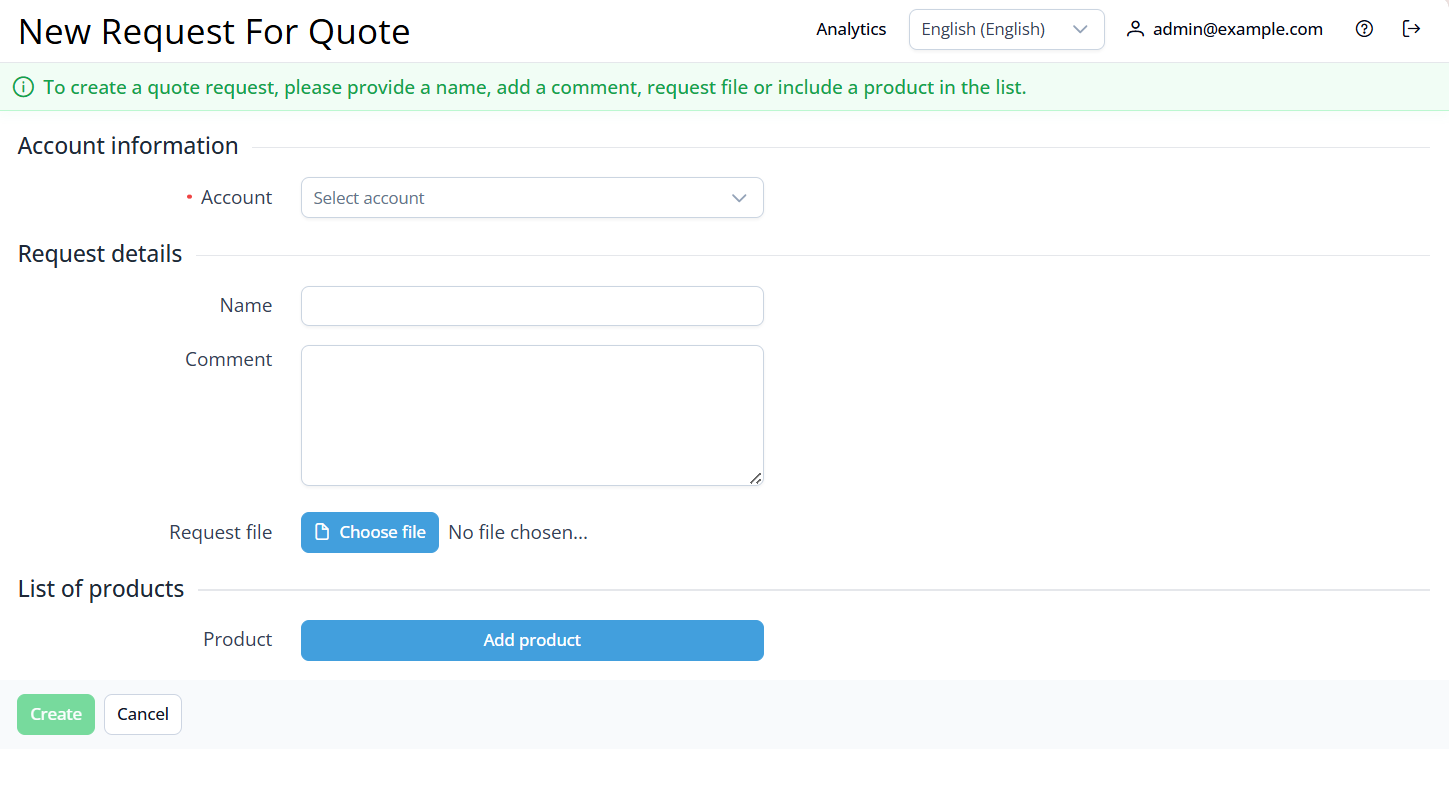
Click Create quote. The New request for quote page is displayed.
-
In the Account list, select the required account. You can search by ID and name.
-
Specify the details of the request by filling in at least one of the parameters:
-
Name — the name of the request (up to 150 characters). If you do not specify a name, it will be generated automatically based on the other parameters:
-
Name of the uploaded file with products.
-
The first 150 characters in the Comment field.
-
Name of the first added product name.
-
-
Comment — the text of the request (up to 3000 characters).
-
Requested products — upload a file or select from the list.
-
The uploaded file must be no larger than 3 MB.
The following formats are supported: pdf, doc, docx, xls, xlsx, ppt, pptx, txt, csv.
To add a product from the list:
-
-
Click Add product. A new parameters line will be displayed.
-
In the Product list, select the required product. You can search by ID and name among all published products (see Viewing the list of products).
-
Enter the required quantity next to the product name.
-
(Optional) To add another product, repeat the steps. Maximum is 30 products.
-
(Optional) If you need to remove a product, click the button next to the quantity field.
-
5. Click Create. The request for quote will be created and displayed in the list.